
Instructions
Integrating tracking
Google Analytics, Microsoft Clarity, Meta Pixel and more: insert code or ID, the rest happens automatically.
Step 1
Open services
Open Settings → Consent Banner and scroll to Services: Tracking & Statistics.
Step 2
Insert code or ID
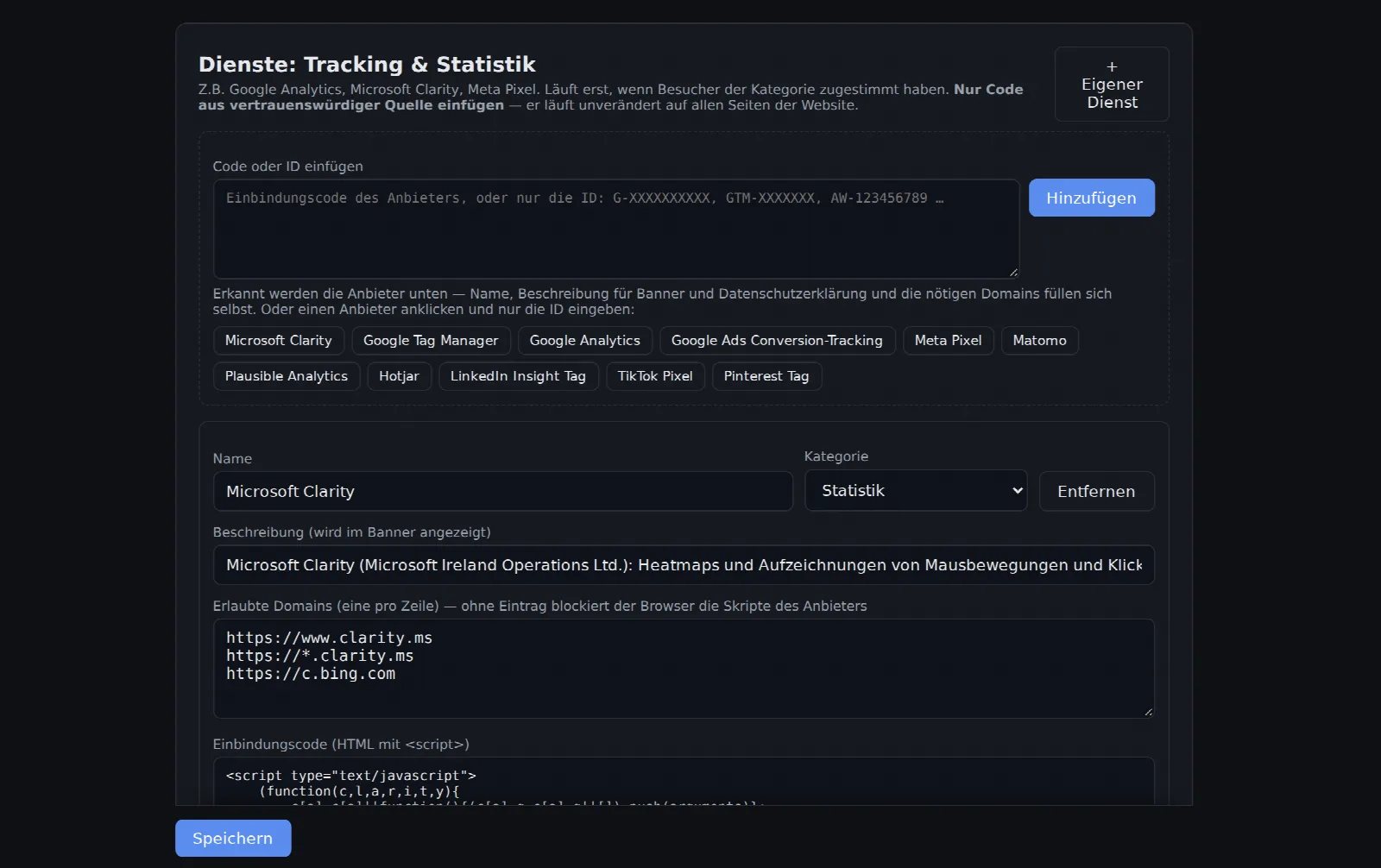
Paste the provider's integration code into the Insert code or ID field and click Add. kenoCMS recognizes the provider and fills in the name, category, description and required domains.
Instead of the entire code, the ID is often sufficient, e.g. G-XXXXXXXXXX for Google Analytics. Or you can click on the provider and enter just the ID. Recognized services include Google Analytics, Google Tag Manager, Google Ads, Microsoft Clarity, Meta Pixel, Matomo, Plausible, Hotjar, LinkedIn, TikTok and Pinterest.
Step 3
Save and privacy policy
Click Save. The service will only run once visitors have consented to its category in the cookie banner, e.g. "Statistics". Afterwards, regenerate the privacy policy under Settings → Legal texts, as it will then list the service.
Do you only need visitor numbers? The built-in cookieless statistics is already included and does not require consent.